How to reduce hi-hat bleed in snare and kick mics
Short answer. Use the close hi-hat mic as a reference. An adaptive filter learns the path from the hi-hat to the snare or kick mic and subtracts it while the drum is silent, and freezes while the drum plays. EQ and gates cannot do this, because the bleed overlaps the drum's own top end. The method needs a mic that is dominated by the hi-hat; an overhead does not work as the reference.
Why EQ and gates fall short
Hi-hat bleed lives in the same 2–10 kHz range that gives a snare its crack. Cutting it with EQ dulls the snare. A gate removes it only between hits, and the bleed under every snare hit stays.
Subtract the hi-hat instead
The hi-hat reaches the snare mic through one acoustic path: a delay and a frequency response. An adaptive filter can learn that path from the close hi-hat mic and subtract the predicted bleed. Echo cancellers in video calls use the same structure (a partitioned frequency-domain adaptive filter, NLMS).
- Freeze while the drum plays. If the filter keeps learning during a snare hit, it starts to model the snare and eats it.
- Learn only where the reference predicts the target. A coherence-weighted step size ignores bands where the hi-hat mic says nothing about the snare mic.
- Follow the level instantly. Drum signals jump from silence to a hit, and a slow power estimate lets the filter overshoot.
What it needs
The reference must be dominated by the hi-hat. In our measurements an overhead as the reference gave −0.1 to +0.2 dB of reduction, and a kick mic as the reference did nothing either, because both hear the whole kit. Those are correct results: there is no single path to learn.
With a known path, the canceller converged to −42 dB on noise and to −37 dB on a real drum signal.
Listen to what is removed
Always audition the removed part before you commit. If you hear snare in it, the amount is too high or the reference is wrong.
In Visioääni
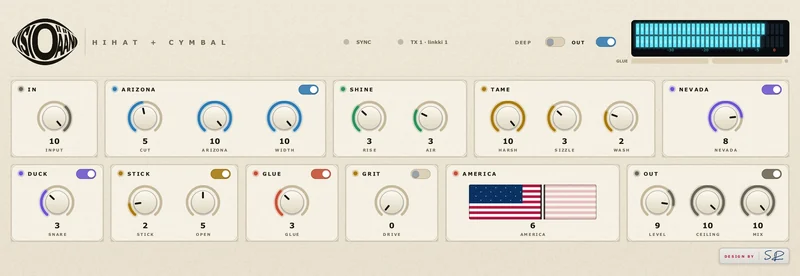
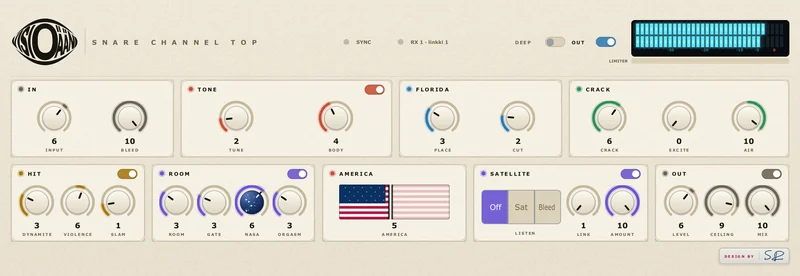
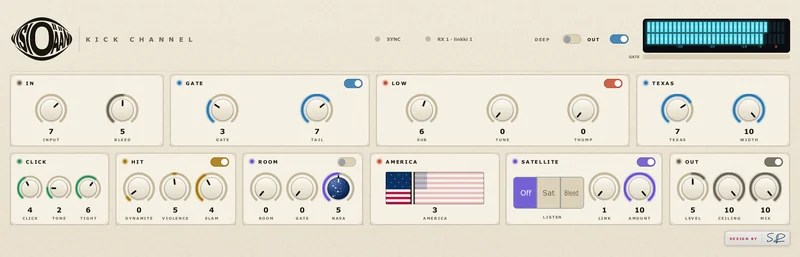
Put Hihat + Cymbal on the close hi-hat mic; it sends on one of eight numbered links named after the track. On the snare, bottom snare, kick or tom, pick the same Link and set Amount. Listen switches between Off, Sat (what the hi-hat mic hears) and Bleed (what is removed from this mic). It works inside one host process (VST3 and AU in Cubase, Reaper, Studio One and similar).